
*Please contact me for studio policy information*
Questions:
What ages do you teach? Around 5 or 6 years old. A good indicator is if a child knows their ABC’s, counting, and can focus for 20-30 minutes.
Do we need to own a piano? Yes, students taking private lessons should own a piano or 88-weighted keys digital piano to practice at home.
————————————————————————————————————
1. Create a quiet space for your lessons. A noisy environment makes it difficult to make music and to communicate with each other. Additionally, ask household members to hang out quietly in another room while your lesson is happening.
2. Have all your music, metronome, pencils/highlighters, tabs sticky notes, etc. ready to go.
3. Make sure your internet connection is consistent.
- Can you plug in an ethernet cord? That’s the best way to have a clear connection.
- If not, check to make sure you’re getting a clear wifi signal.
- Sometimes just moving your device to the other side of the piano or keyboard can make a huge difference.
- You may need to move your wifi router closer to the piano or keyboard.
- Occasionally electronic interference can affect wifi such as running a microwave, so check to see if that could be an issue if you’re experiencing a choppy connection.
- Ask others to refrain from streaming videos (such as Youtube, Netflix, or Video Conference) or downloading files while you have your lesson. It will leave more bandwidth for your course.
4. Choose your device. Any phone, tablet, or computer you have available right now will work. If you own multiple devices (computer, phone, or tablet), try them out to see which one gives the best sound and picture. Generally a laptop will be the best option, but sometimes a newer phone could be better if your laptop is an older model or has a lower quality camera or microphone.
5. Applications: You can set up Skype, Google Hangouts, Google Duo, WhatsApp, FaceTime, or Zoom. Adjust the settings so that the sound is clearer for your teacher.
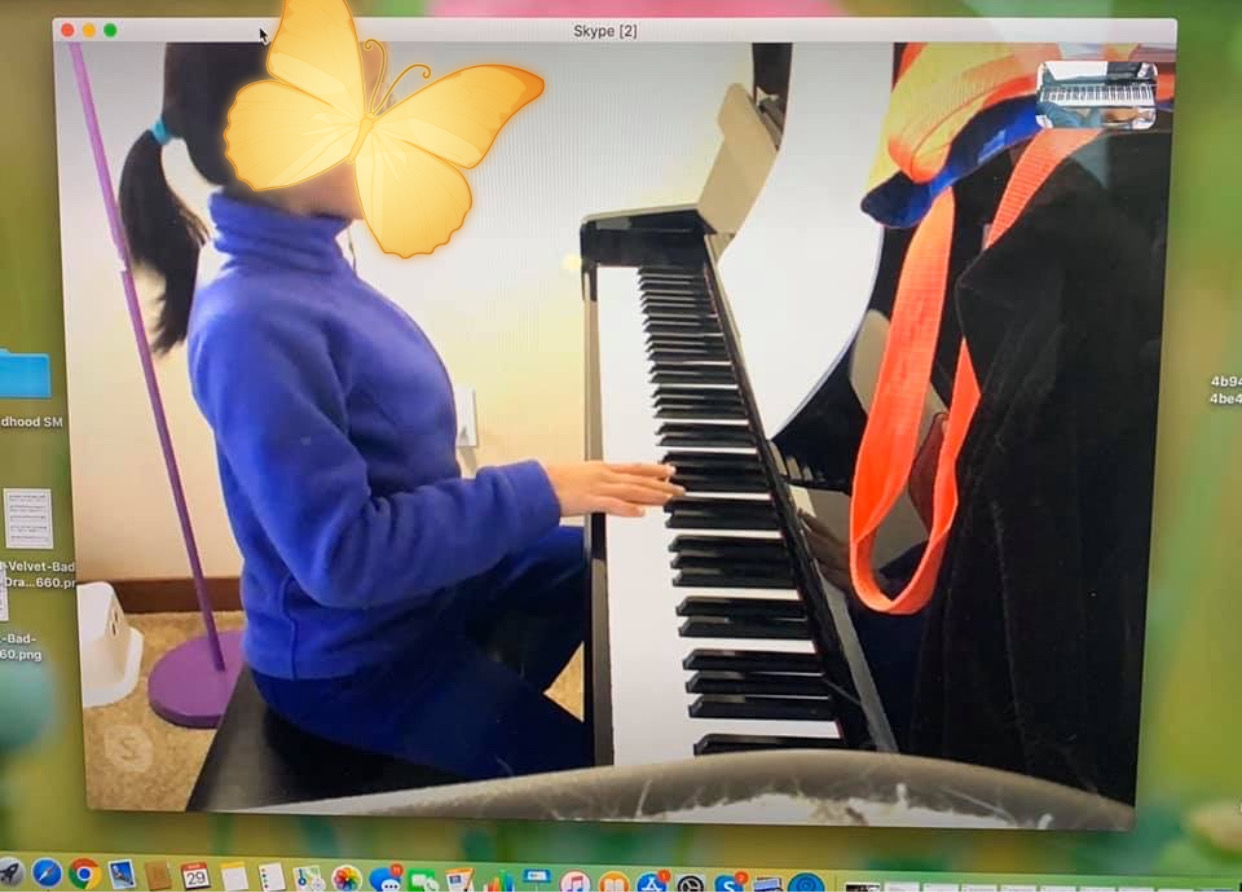
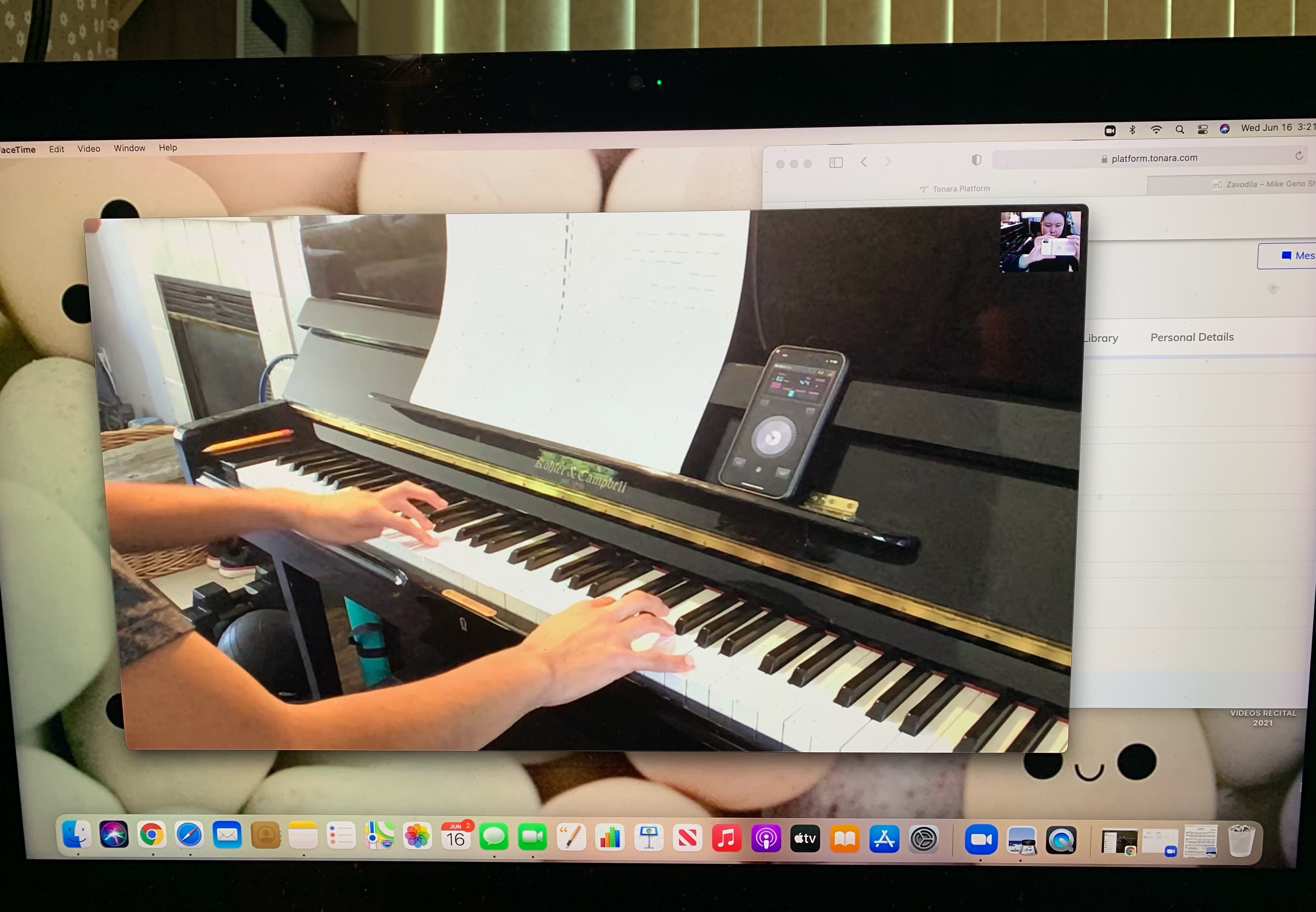
6. Set up your camera/device in a stable spot so that your teacher can see your face and your hands. Seeing your face helps your teacher understand how you’re processing what you’re learning—seeing your hands help them understand technical issues.
- You can get a table, music stand, tripod stand, or an iPad/phone mount adapter to put on a tripod to hold the device and angle it towards the piano. Check out the links provided below!
Tripod Stand with Cell Phone Mount Holder: https://www.amazon.com/UBeesize-Adjustable-Smartphone-Bluetooth-Compatible/dp/B07QJVB3YF/ref=sr_1_36?dchild=1&keywords=iphone+mount+stand&qid=1600406139&sr=8-36
- You can place a few boxes or place some books on a table or chair to lift the device at the right height. It can be tricky to tilt a tablet: you will need to prop it against something to get the right angle.
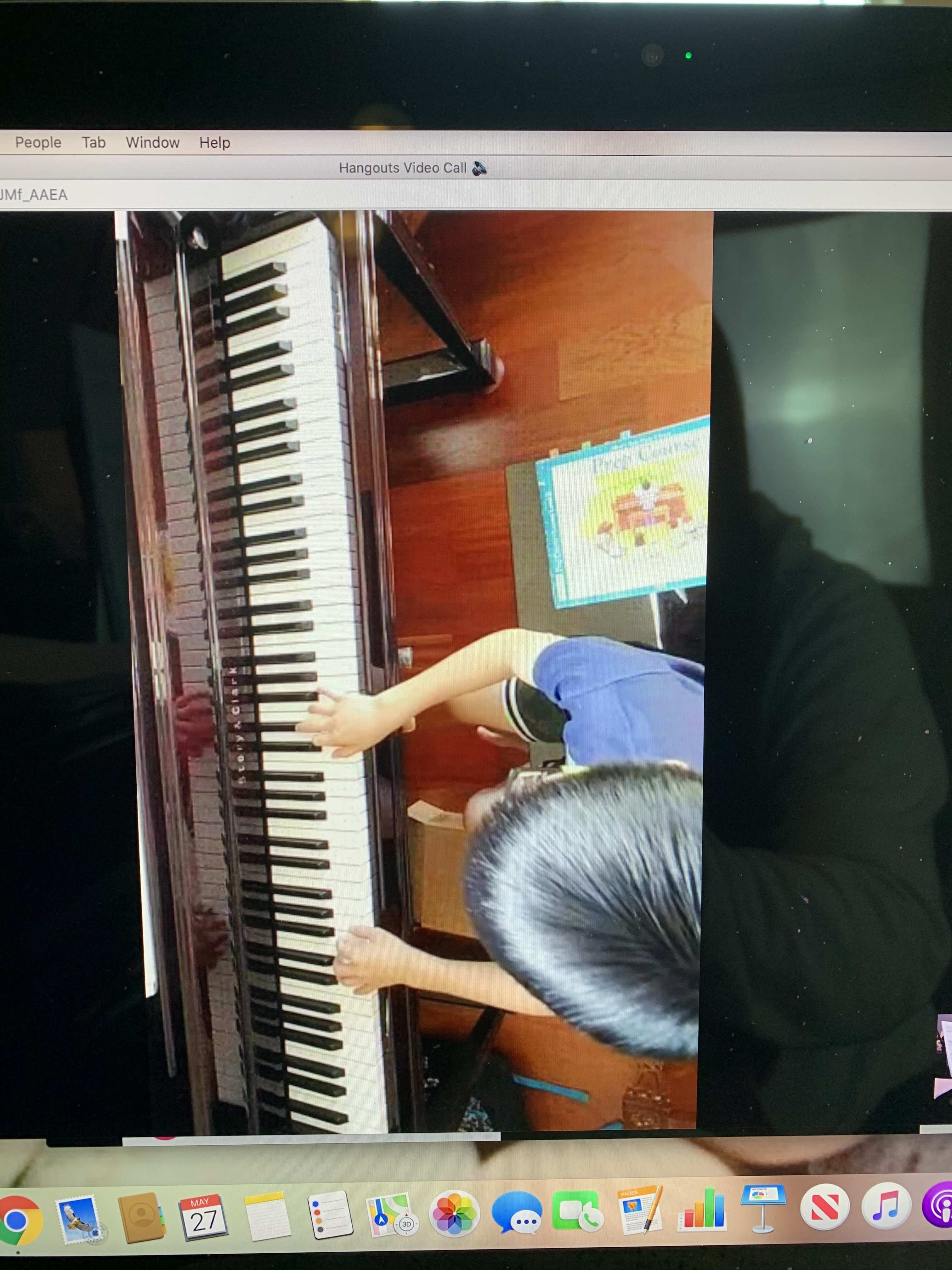
- You can get a webcam and hook it up with an Alzo Horizontal Mount on a tripod to get a direct overhead view of the piano’s keyboard.
Here are an example of good angles to try for a piano lesson (taken from the perspective of the device):
7. Update your software and/or Upgrade Internet Plan
If you’re having problems with any of your equipment, and you’re not sure what the problem is, it may just be that you need to update the software on your device. Or upgrade your internet connection to a higher plan- to help the platform run smoothly.
Running behind schedule: There may be a 5-15 minute delay due to cleaning and/or finishing up the lesson from the previous student with in-person or online classes. I will text you if there are any delays and when I’m ready!
 Piano Lessons
You must be logged in to post a comment.